
Demo accounts for Text, LiveChat, ChatBot, and HelpDesk
Learn how Solution partners get a free demo account for LiveChat, ChatBot, HelpDesk, or Text, how long it stays active, and how to use it. Request yours today.
 Sylwia KocurUpdated 3 min read
A demo account lets you test LiveChat, ChatBot, HelpDesk, and Text yourself before you sell or implement them. As a Solution partner, you can request one once you’re accepted into the program.
What is a demo account?
A demo account is a free test account for LiveChat, ChatBot, HelpDesk, or Text that Solution partners get after they’re accepted into the Text Solution program. It allows you to explore each product, show it to clients, and test integrations before you set them up on a client’s license.
You need to understand the business benefits and key features of LiveChat, ChatBot, HelpDesk, and Text, and be able to show your customers how each one fits into their workflow. That starts with getting a demo account and testing the products yourself.
How do you get a demo account?
There are two ways to request a demo account:
During a discovery call, if you’ve just joined the Solution program.
Straight from the Sales & training section of the Partner app.
To request one from the Partner app:
Open the Sales & training section.
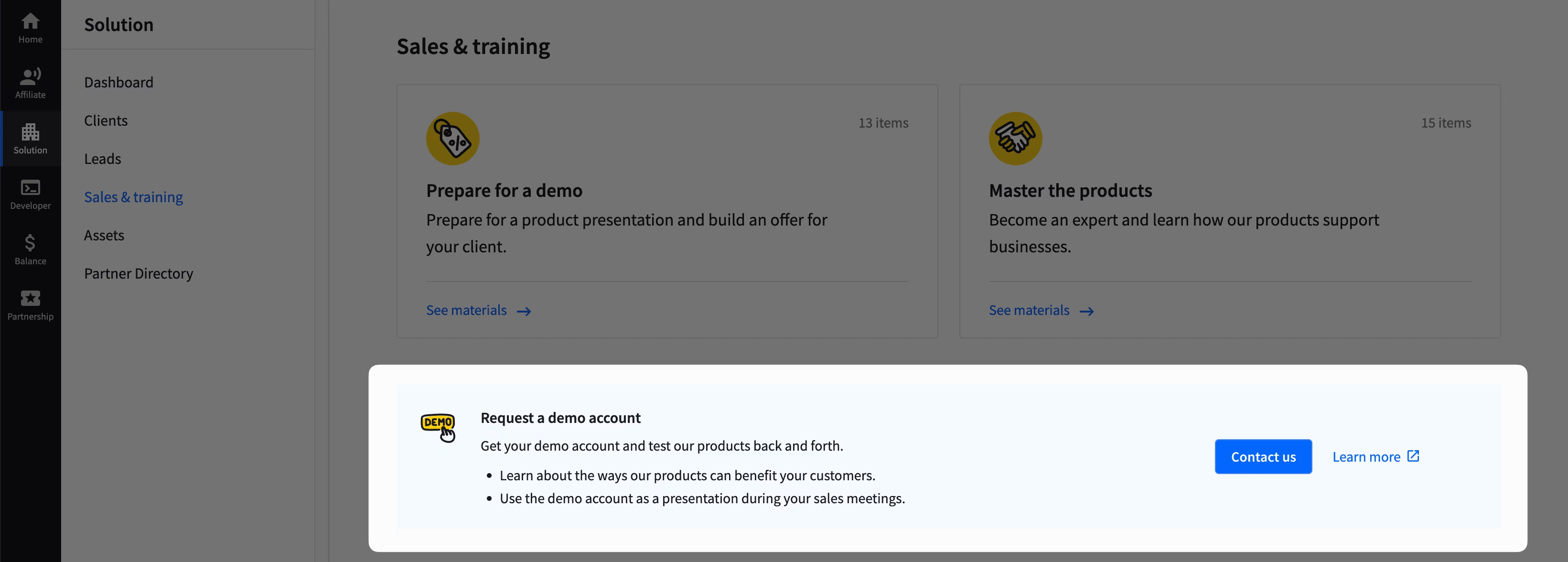
Select the product you want to test: LiveChat, ChatBot, HelpDesk, or Text.
Enter the email address you want the demo account created on.
Submit the request form.
Once we process your request, you’ll get a confirmation email letting you know your demo account is ready.
How long does your demo account stay active?
Here’s what to expect regarding your product demo account:
Your demo account is active for 3 months after initial activation.
Once you make your first sale, we extend it for another 6 months.
After that, it keeps renewing as long as you make at least one new sale every 6 months.
How can you use your demo account?
You can use your demo account for LiveChat, ChatBot, HelpDesk, or Text in three ways:
Showcase it on your website
You can implement your demo account on your website and use it for free. At the same time, you’ll get to know how our products work, which makes you more confident going into your first implementations.
It also builds credibility with a potential client. If they see you using the same software you’re recommending to them, they trust you more.
Use it during your product presentations
A product demo supports your sales process. Set it up to match your client’s use case so they can see how it works, whether it meets their expectations, and how it fits their business.
Use it as a developer sandbox
It lets you test your add-ons and integrations before you install them on your customer’s license.