
Campaign builder
Set up affiliate campaigns with the campaign builder: name them, add a discount, adjust the trial length, and pick a landing page. Create your first campaign.
 Sylwia KocurUpdated 3 min read
The short link is the fastest option. Grab it, share it on your pages, and you're done. The downside is that it doesn't give your audience any extras, like a longer trial or a discount to get them started.
The campaign builder lets you add those extras. You can change the trial length and offer a discount. You can also name your campaign, which matters more than it seems because the name lets you see how each campaign performed. And you can pick the landing page, which sets the tone of your message: send people to our features page to show how much our products offer, or to a dynamic custom page that displays the discount you chose for that campaign.
In short, with the campaign builder you can:
Add a custom name to track your campaign's results.
Offer a discount ($10 credit to start, or 10% off the first payment).
Change the trial length.
Choose a landing page.
Add custom params.
How do you create a campaign in the campaign builder?
Open the campaign builder
There are two ways to open the campaign builder:
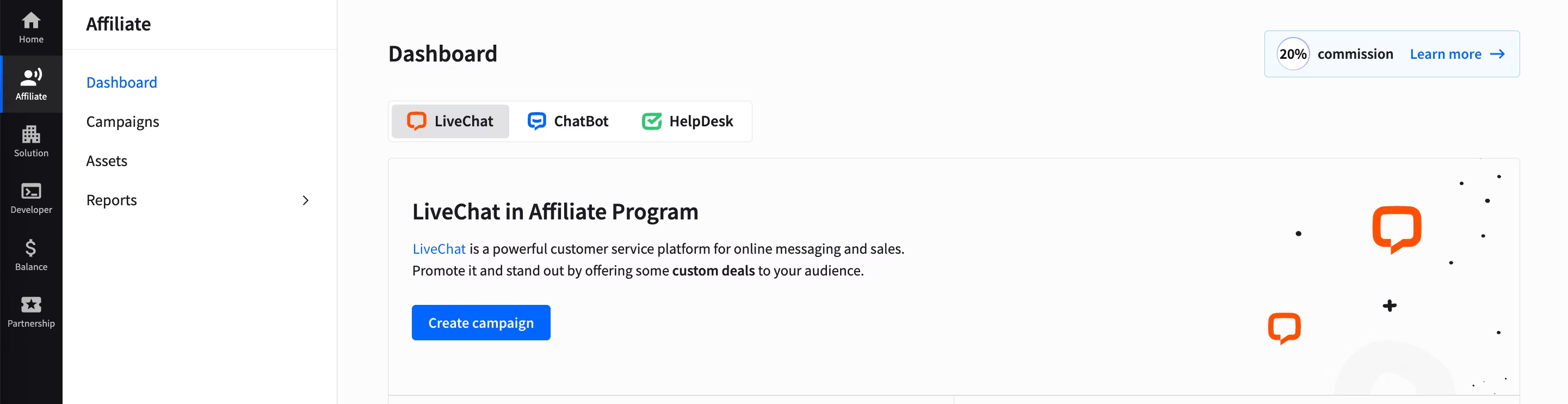
From the Affiliate section Dashboard, click Create campaign.
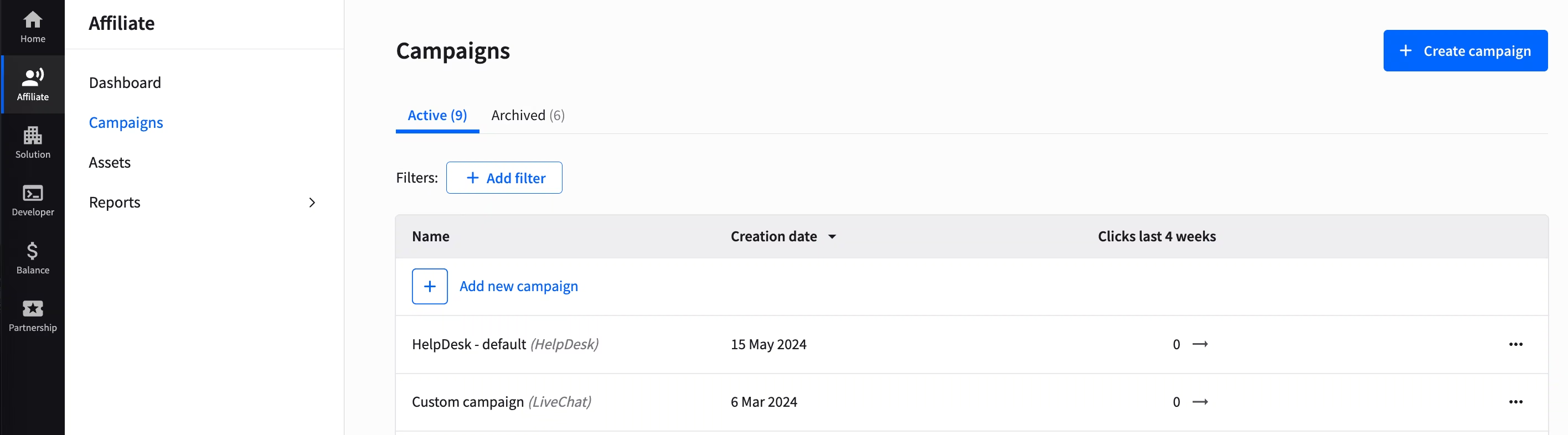
From the Campaigns section, click Create campaign.
Fill in the campaign form
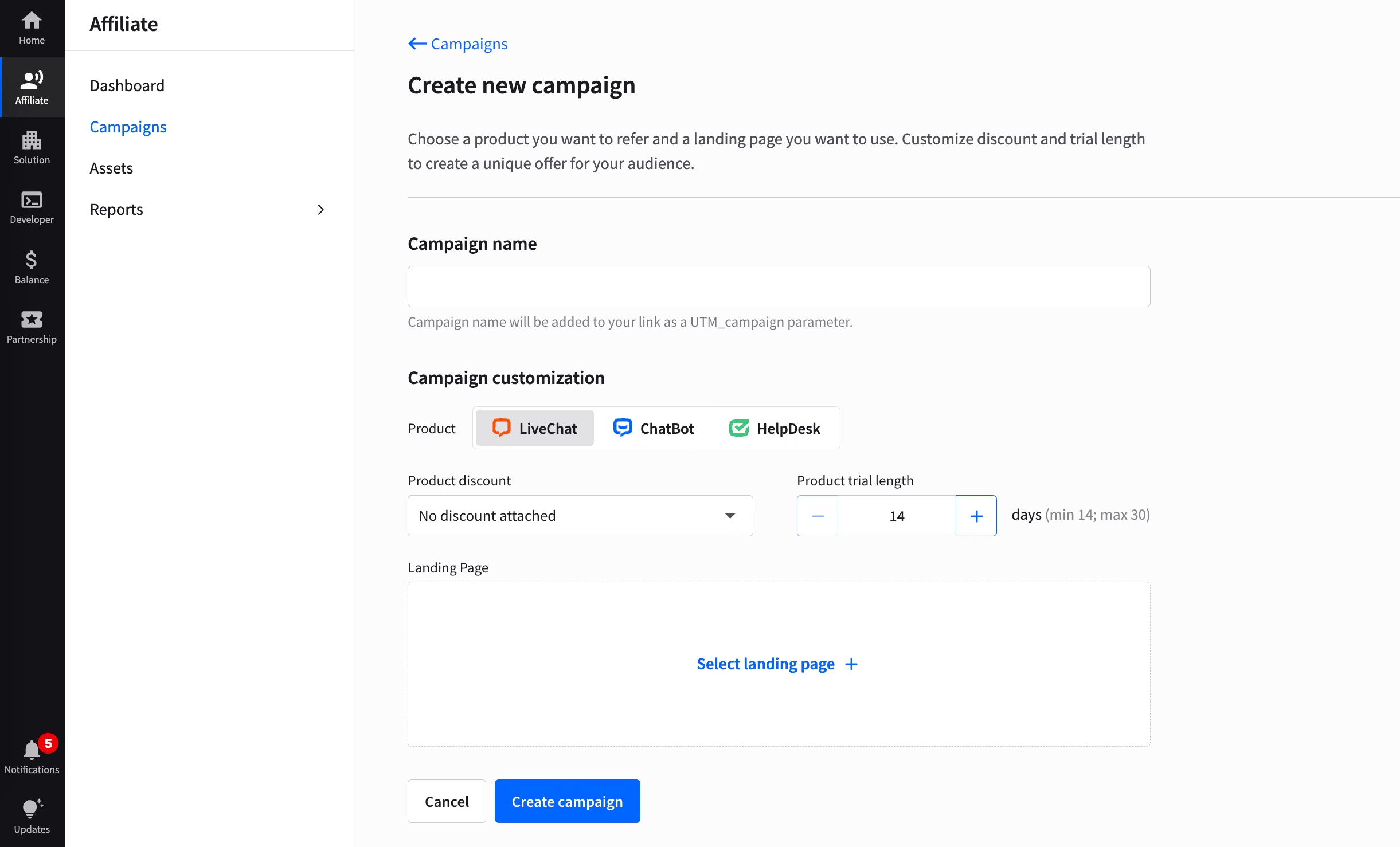
Once there, you'll see a short form allowing you to customize your offer. To complete it:
Name your campaign.
Choose a product.
Choose a discount and/or trial length.
Choose the page you want your audience to navigate to.
Click Create campaign.
Choose the right landing page
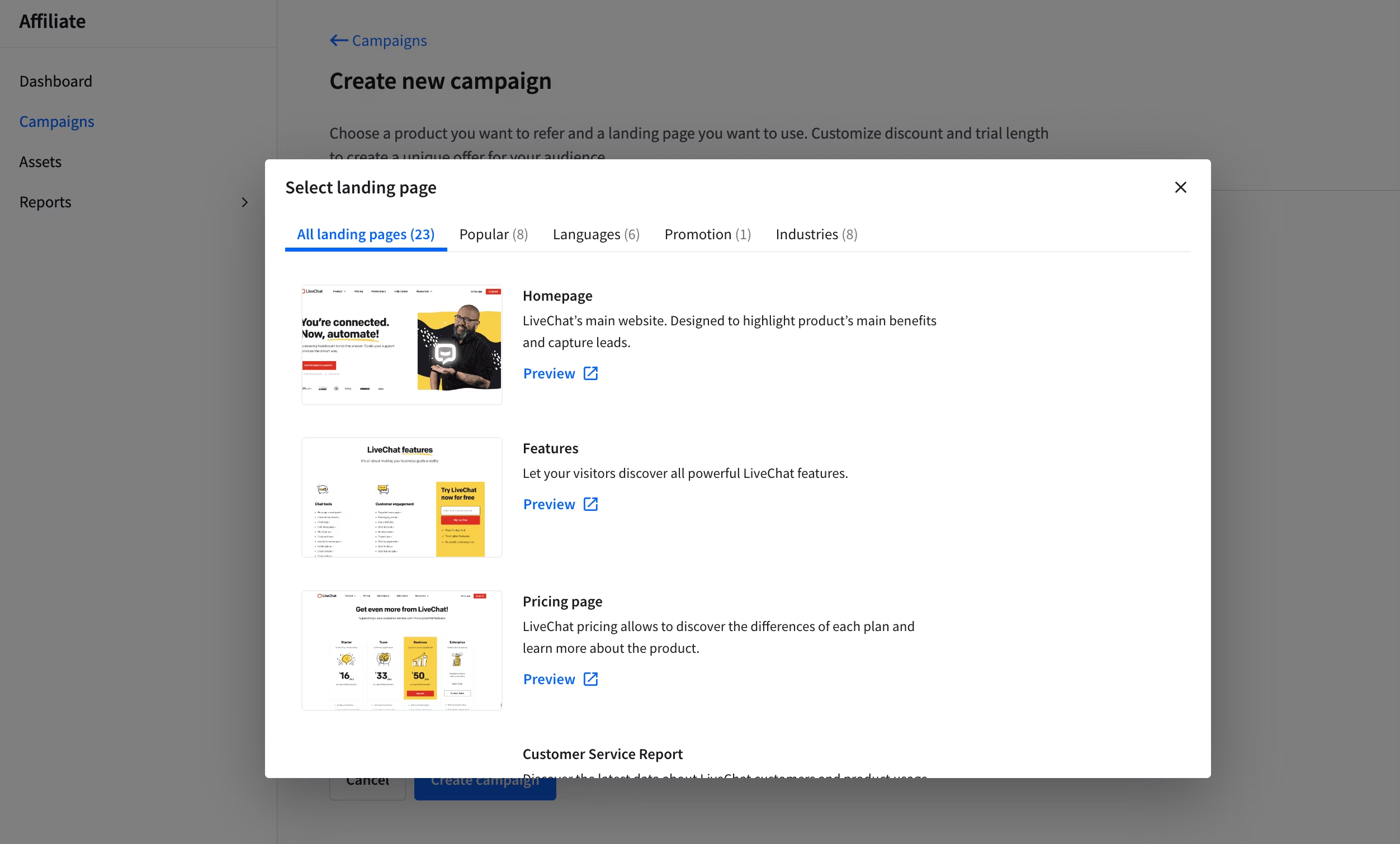
When building your campaign, take a closer look at a landing page selector. It allows you to easily choose a landing page for a particular audience. You can filter all pages by industry, language, or popularity and quickly decide which page will be the best fit for your campaign.
Get your campaign link
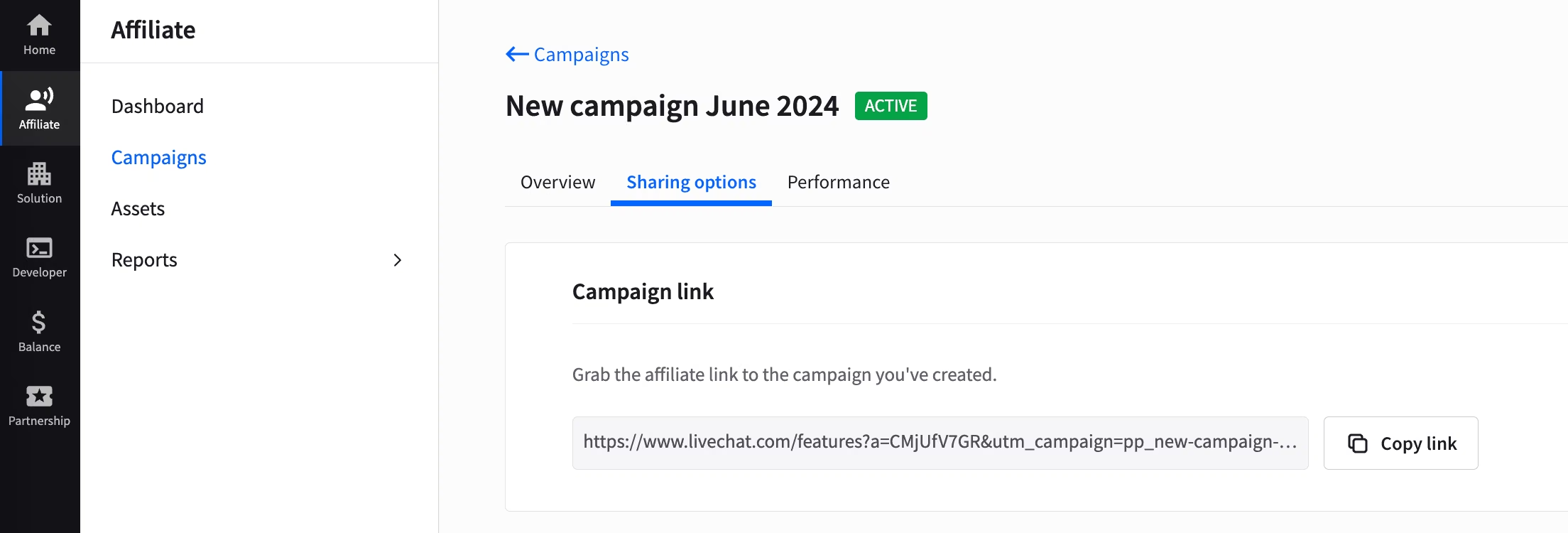
Once you create your campaign, you'll get a notification and your campaign link.
What should you do after you create a campaign?
Remember that once the campaign is up and running, your job is not done yet. You still need to monitor its performance to make sure that the traffic you bring translates into trials and - eventually - paid accounts.
To learn more about tracking your results, read how to track your campaign results.